

Afficher et filtrer les instantanés dans l’outil Instantanés de statut du projet
Contexte
L’outil Instantanés de statut de projet permet aux utilisateurs d’afficher, de filtrer et d’ouvrir des instantanés des projets Procore de votre entreprise.
Éléments à prendre en compte
-
Autorisations utilisateur requises :
-
Pour afficher tous les instantanés de statut de projet, autorisation « Lecture seule » ou supérieure dans l’outil Instantanés de statut du projet.
-
Les utilisateurs ont également besoin d’une autorisation « Lecture seule » ou supérieure dans l’outil Budget pour voir l’instantané.
-
-
Pour modifier le statut d’un instantané de statut de projet ou exporter une liste d’instantanés, autorisation « Lecture seule » ou supérieure dans l’outil Instantanés de statut du projet.
-
Procédure
-
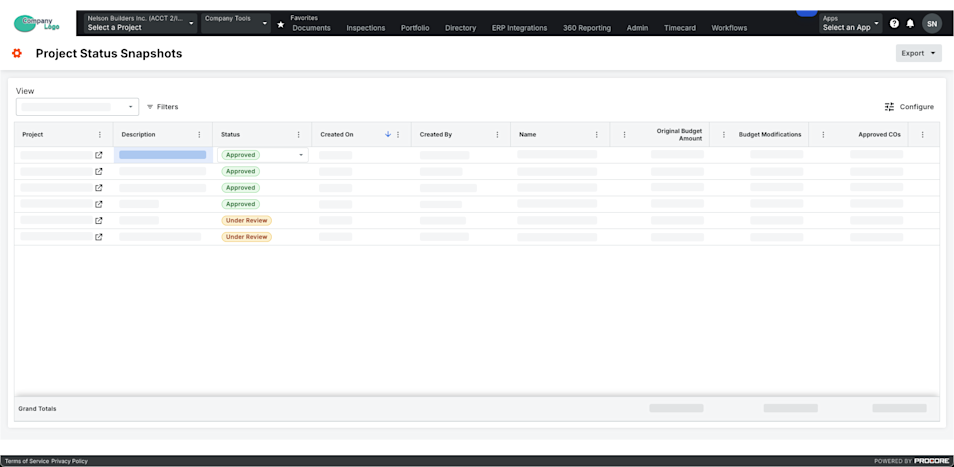
Accédez à l’outil Instantanés de statut de projet au niveau entreprise.
-
Recherchez un instantané dans la liste.
Remarque: si vous souhaitez afficher l’instantané, cliquez sur l’icône Ouvrir dans la colonne Projet .
Important
Pour voir les instantanés de statut de projet dans des projets Procore spécifiques et leurs propres instantanés ad hoc, accordez aux utilisateurs l’accès aux outils Budget de ces projets.
-
 (Facultatif) Filtrer par période ou période de comparaison :
-
Un point c’est tout. Sélectionnez une ou plusieurs périodes dans cette liste déroulante.
Remarque
- Vous pouvez choisir parmi des options telles que En cours, Dernière période, Aucun(e) ou Périodes financières spécifiques.
- Par défaut, la période en cours est sélectionnée jusqu’à ce qu’elle soit modifiée.
-
Période de comparaison. Sélectionnez une période dans cette liste déroulante pour la comparer à la période principale. Voir Analyser l’écart entre les instantanés dans l’outil Instantanés de statut du projet.
Remarque
- Vous pouvez choisir parmi des options telles que Périodes financières actuelles, Précédentes ou Périodes financières.
- Si vous sélectionnez l’option Précédent dans la liste déroulante Période de comparaison, la période précédente est automatiquement sélectionnée en fonction de la période actuellement choisie dans la liste déroulante Période.
- Par défaut, la période précédente est sélectionnée jusqu’à ce qu’elle soit modifiée.
Important
Les champs Période et Période de comparaison ne sont disponibles que lorsque le paramètre Périodes financières est activé. Voir Activer ou désactiver les périodes financières pour les instantanés de statut de projet.
-
-
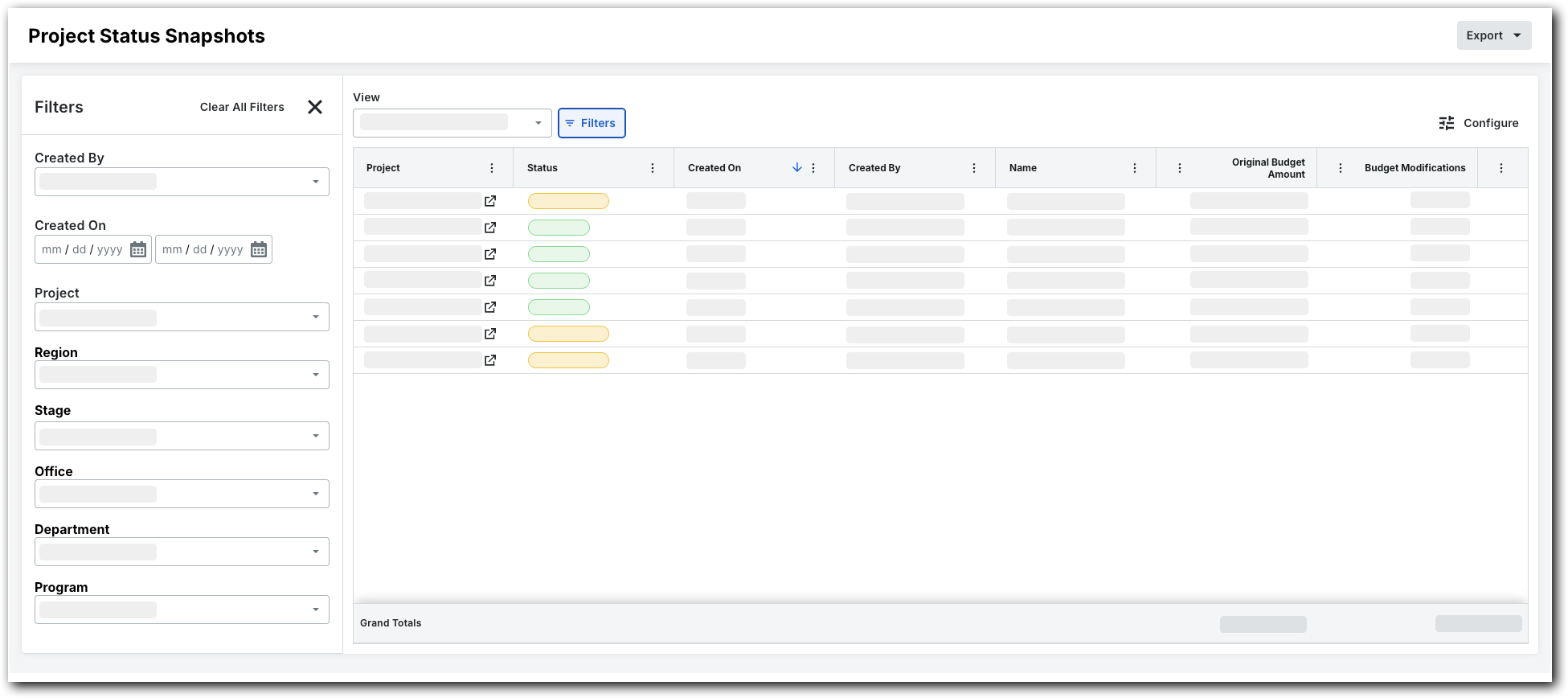
Pour filtrer l’vue en liste, cliquez sur Filtres.
Le panneau Filtres s’ouvre.
-
Définissez les filtres disponibles pour vous concentrer sur les instantanés que vous souhaitez afficher. Les options de filtre sont les suivantes :
-
Créé par. Choisissez un ou plusieurs créateurs d’instantanés.
-
créé le. Définissez une période à l’aide du calendrier.
-
projet. Sélectionnez des projets spécifiques pour afficher leurs instantanés.
-
Région. Choisissez une région de projet.
-
étape. Choisissez une étape du projet.
-
Statut. Sélectionnez un personnalisé statut. Pour plus d’informations sur la création d’un personnalisé statut, voir Créer un Personnalisé Statut pour les instantanés au Statut projet.
-
Bureau. Sélectionnez un bureau.
-
Ministère. Choisissez un département.
-
programme. Sélectionnez un programme.
-