

Définir ou débloquer la retenue de garantie sur une facture au maître d’ouvrage dans l’outil Contrats principaux (ancien)
Procore Interne UNIQUEMENT
Cette page détaille l’ancienne expérience de facturation au maître d’ouvrage. Avec l’ancienne expérience, ces étapes peuvent également être effectuées avec l’outil Facturation. Voir Définir ou débloquer une retenue de garantie sur une facture au maître d’ouvrage (héritage). Il n’y a pas de page équivalente dans l’expérience modernisée. Au lieu de cela, la possibilité de modifier les valeurs de retenue de garantie fait maintenant partie de la section Modifier les factures au maître d’ouvrage dans la section Mettre à jour les postes à l’aide de la méthode comptable du contrat .
Objectif
Régler ou débloquer la retenue de garantie pour les postes d'une facture au maître d'ouvrage avec l'outil Contrats principaux.
Contexte
Éléments à prendre en compte
- Autorisations utilisateur requises :
- Autorisations de niveau « Admin » dans l'outil Contrats principaux du projet.
Conditions préalables
Procédure
- Accédez à l'outil Contrats principaux du projet.
- Cliquez sur l'onglet Factures.
- Recherchez la facture au maître d'ouvrage sur laquelle vous souhaitez travailler.
- Cliquez sur l'onglet Détails.
- Cliquez sur le bouton Modifier.
- Choisissez l'une des options suivantes :
Définir la retenue de garantie sur tous les postes
- Under Set Retainage on All Line Items, do the following:
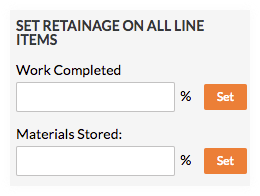
- Enter the percentage to withhold in the Work Completed box.
- Click Set.
- Enter the percentage to withhold in the Materials Stored box. To learn more, see How do I bill for stored materials in Procore? (Legacy)
- Click Set.
Débloquer la retenue de garantie sur tous les postes
- Under Release Retainage on All Line Items, do the following:
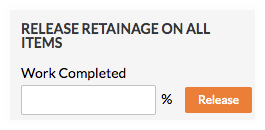
- Enter the percentage to release in the Work Completed box.
- Click Release.
Voir aussi
If you would like to learn more about Procore's prime contract software and how it can help your business, please visit our construction contract management software product page  .
.
.